Der Hafenkran in deiner Hand
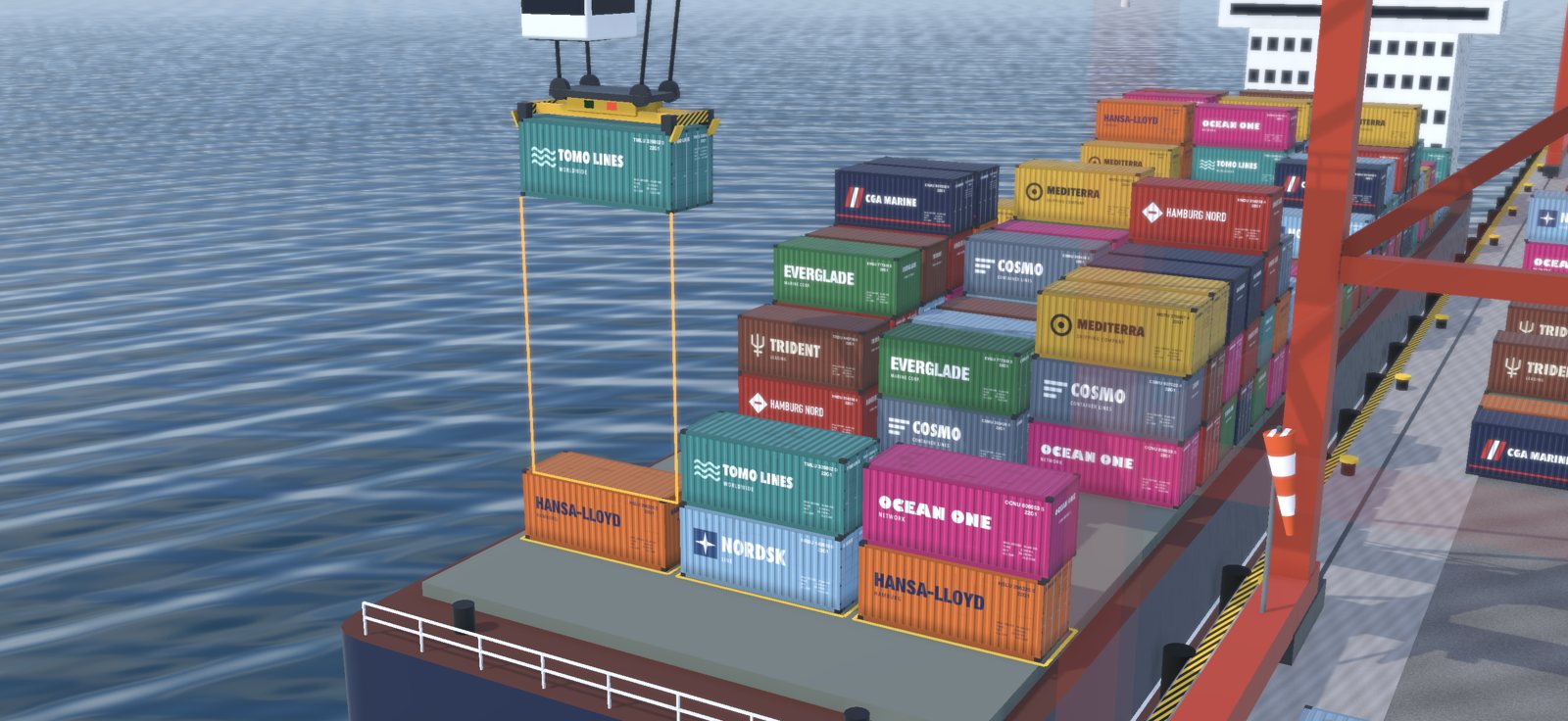
Du sitzt im Führerstand einer Containerbrücke: Schiff löschen, Container sauber stapeln, LKW und Züge rechtzeitig beladen. Die Last hängt an vier Seilen und pendelt wirklich – jedes Anfahren, jedes Bremsen und jede Böe bringt sie ins Schwingen.
- 8 Schichten à 10 Minuten, von fast windstill bis Windstärke 7
- Endlos-Modus ohne Uhr
- Echte 3D-Grafik mit schwenkbarer Kamera
- Komplett offline spielbar – keine Werbung, keine Datenerfassung, keine Konten
- Schicht 1 und der Endlos-Modus kostenlos, alle weiteren Schichten als einmaliger Kauf
- Deutsch, Englisch, Spanisch, Französisch und Chinesisch
Support
Fragen, Fehler oder Wünsche? Schreib an service@myn.to – am besten mit iPhone-/iPad-Modell und iOS-Version.
Häufige Fragen
Ich habe die Vollversion gekauft, aber die Schichten sind gesperrt.
Öffne im Spiel die Einstellungen (Zahnrad) und tippe auf „Käufe wiederherstellen". Du musst mit derselben Apple-ID angemeldet sein, mit der du gekauft hast.
Warum kann ich Schicht 3 noch nicht wählen?
Die Schichten werden nacheinander freigespielt: Erreiche das Container-Ziel einer Schicht, dann öffnet sich die nächste.
Der Container reißt ständig ab.
Fahr die Laufkatze sanft an und brems früh. Warte kurz, bis die Last ausgependelt ist, bevor du absenkst – die Hilfslinien werden grün, wenn du richtig stehst.
The harbour crane in your hand
You are in the cab of a ship-to-shore container crane: unload the ship, stack containers neatly, load trucks and trains in time. The load hangs on four ropes and it really swings – every start, every stop and every gust sets it in motion.
- 8 shifts of 10 minutes, from almost calm to force 7 winds
- Endless mode without a clock
- Real 3D graphics with a camera you can pan
- Plays completely offline – no ads, no data collection, no accounts
- Shift 1 and endless mode are free, all further shifts as a one-time purchase
- English, German, Spanish, French and Chinese
Support
Questions, bugs or ideas? Write to service@myn.to – ideally with your iPhone/iPad model and iOS version.
Frequently asked questions
I bought the full version but the shifts are locked.
Open Settings in the game (gear icon) and tap “Restore purchases”. You must be signed in with the same Apple ID you used for the purchase.
Why can’t I select shift 3 yet?
Shifts unlock one after another: reach the container goal of a shift and the next one opens.
The container keeps tearing off.
Start the trolley gently and brake early. Wait a moment until the load has stopped swinging before lowering – the guide lines turn green when you are aligned.